No more manual data entry
A Notion template is a database you fill in by hand. With MyApplio the Chrome extension captures the company, role, location, and link from any posting in one click.

A Notion job application tracker template is flexible, but it is a database you maintain by hand. MyApplio is a purpose-built alternative: it captures postings in one click, reminds you about deadlines, and scores and tailors your documents. Free to start.
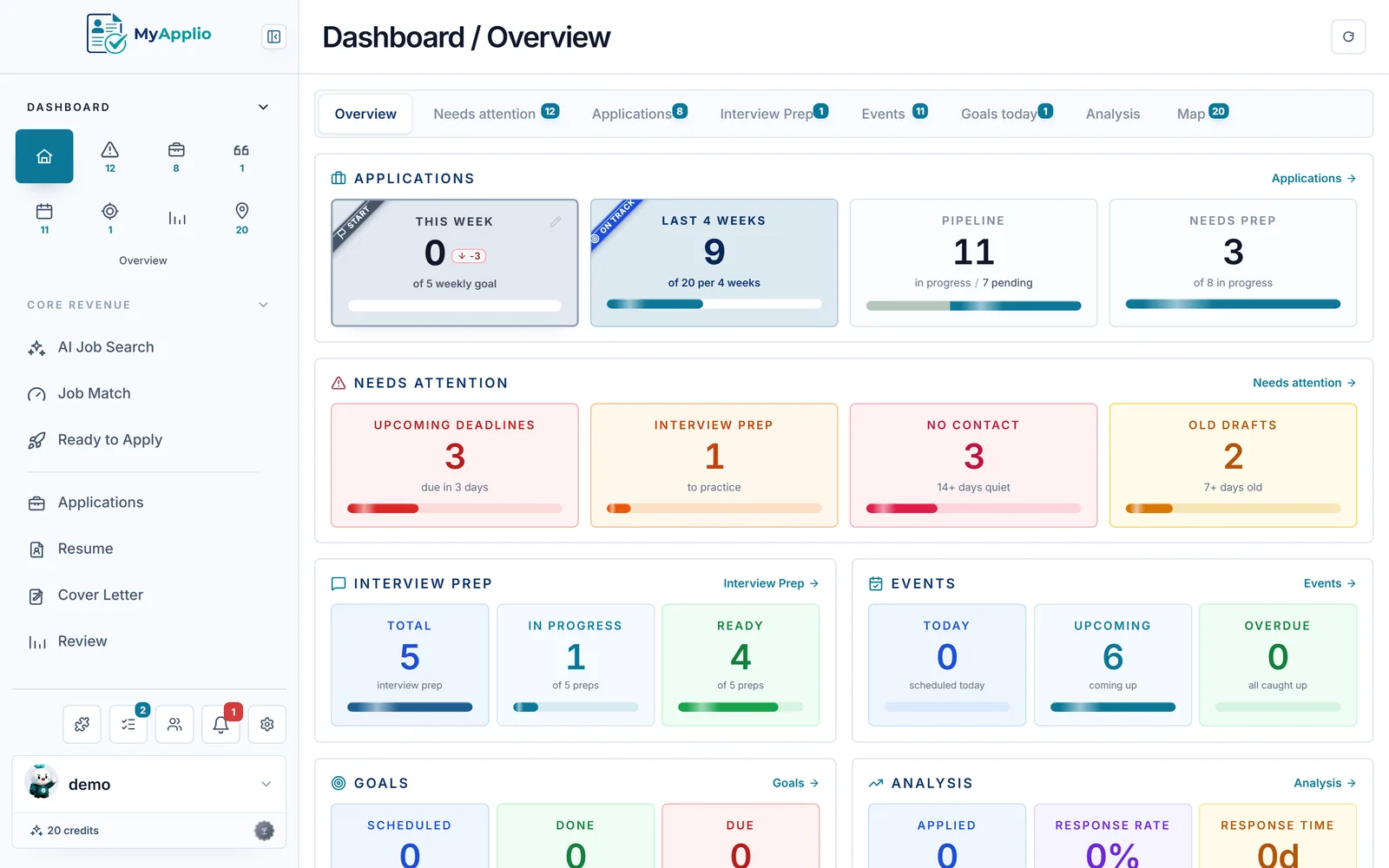
It fills itself in
One click on any posting saves the company, role, location, and link. No database row to build by hand.
It does the math
Response rate, interview rate, and pipeline are built in. No rollups or formulas to wire up yourself.
It works on the documents
Resume builder, cover letter generator, and an AI review that scores each one against the role.
From the maker
MyApplio is built by one developer who is still job hunting too. The core stays free; Supporter helps keep the workspace running and improving.
Why look for a Notion alternative
Notion is an excellent general-purpose workspace, and plenty of people run their job search in a template. The catch is that a template is a database you keep up by hand. A purpose-built tracker does the upkeep for you.
A Notion template is a database you fill in by hand. With MyApplio the Chrome extension captures the company, role, location, and link from any posting in one click.
A template will not nudge you. A Needs Attention view and reminders surface deadlines, stale drafts, and follow-ups before they slip.
Resume builder, cover letter generator, AI review and score, and interview prep all live on the application, not in a separate doc you keep in sync.
MyApplio vs a Notion template
| Feature | MyApplio | Notion template |
|---|---|---|
| One-click job capture | Built in | Manual entry |
| Reminders and deadline alerts | Built in | Manual setup |
| Built-in analytics (response rate, pipeline) | Built in | DIY with formulas |
| Resume builder | Built in | Not included |
| Cover letter generator | Built in | Not included |
| AI resume review and score | Built in | Not included |
| Interview prep | Built in | Not included |
| Purpose-built job-search views | Built in | Build your own |
| Free tier | Built in | Free plan available |
Comparison based on publicly available information as of June 2026. Notion is a trademark of its respective owner and is not affiliated with MyApplio.
Why people switch
Most people do not leave a template because it is bad. They leave because the manual upkeep stops being worth it once the search gets busy.
Maintaining a Notion database row by row gets old fast. One-click capture fills the company, role, location, and link, so adding an application takes a second, not a minute.
A template holds whatever you remember to type. Reminders and a Needs Attention view make sure interviews, deadlines, and quiet applications actually resurface.
No more a database in one tab and resumes in another. The exact resume, cover letter, AI score, and interview notes all attach to the application they belong to.
Common questions
A Notion job application tracker template is a flexible database you build and maintain by hand. It is great for general note-taking, but every company, role, link, and status is something you type yourself. MyApplio is purpose-built for the job search: the Chrome extension captures postings in one click, reminders chase your deadlines and follow-ups, analytics are built in, and resumes, cover letters, AI review, and interview prep all live on the application. It fills itself in instead of waiting for you to.
Yes. Export your Notion job tracker database to CSV, paste the rows into our import template (or let AI reformat them), then import them as tracked applications, with company, role, status, and link preserved. You keep the history you already built and gain one-click capture, reminders, document tools, and analytics on top.
Not at all. Notion is an excellent general-purpose workspace, and a good template can absolutely track a job search. The difference is that a template is a manual database you maintain by hand, while MyApplio is dedicated to the job search and automates the parts a template leaves to you, like capturing postings, reminding you about deadlines, and scoring your documents. If you have outgrown the manual upkeep, that is when an alternative to a Notion job search template starts to pay off.
Yes. Sign in with Google and you are on the Free plan immediately, with no credit card. You can track applications, attach resumes and cover letters, and log interviews for free. Upgrade only if you want unlimited AI actions like resume rewrites and cover letter drafts.
You still get to choose how you see things. MyApplio offers kanban, table, and card views of your applications, so you can group by status or scan a list the way a template let you. What you give up is the manual upkeep, not the control over your view.
Install the MyApplio Chrome extension and click it on any LinkedIn, Indeed, or company careers page to save the posting as a draft application, or add one by hand from the dashboard. Either way the company, role, location, and job link are stored for you, so there is no blank database row to populate.
Make the switch
Free to start. Bring your Notion export, install the Chrome extension, and let the tracker fill itself in from here.