Capture postings in one click
The Chrome extension turns any LinkedIn, Indeed, or company careers page into a tracked application with the company, role, location, and link already filled in.

MyApplio is a free job application tracker that keeps every application, deadline, interview, contact, and document in one workspace. Capture a posting in one click and always know what to do next.
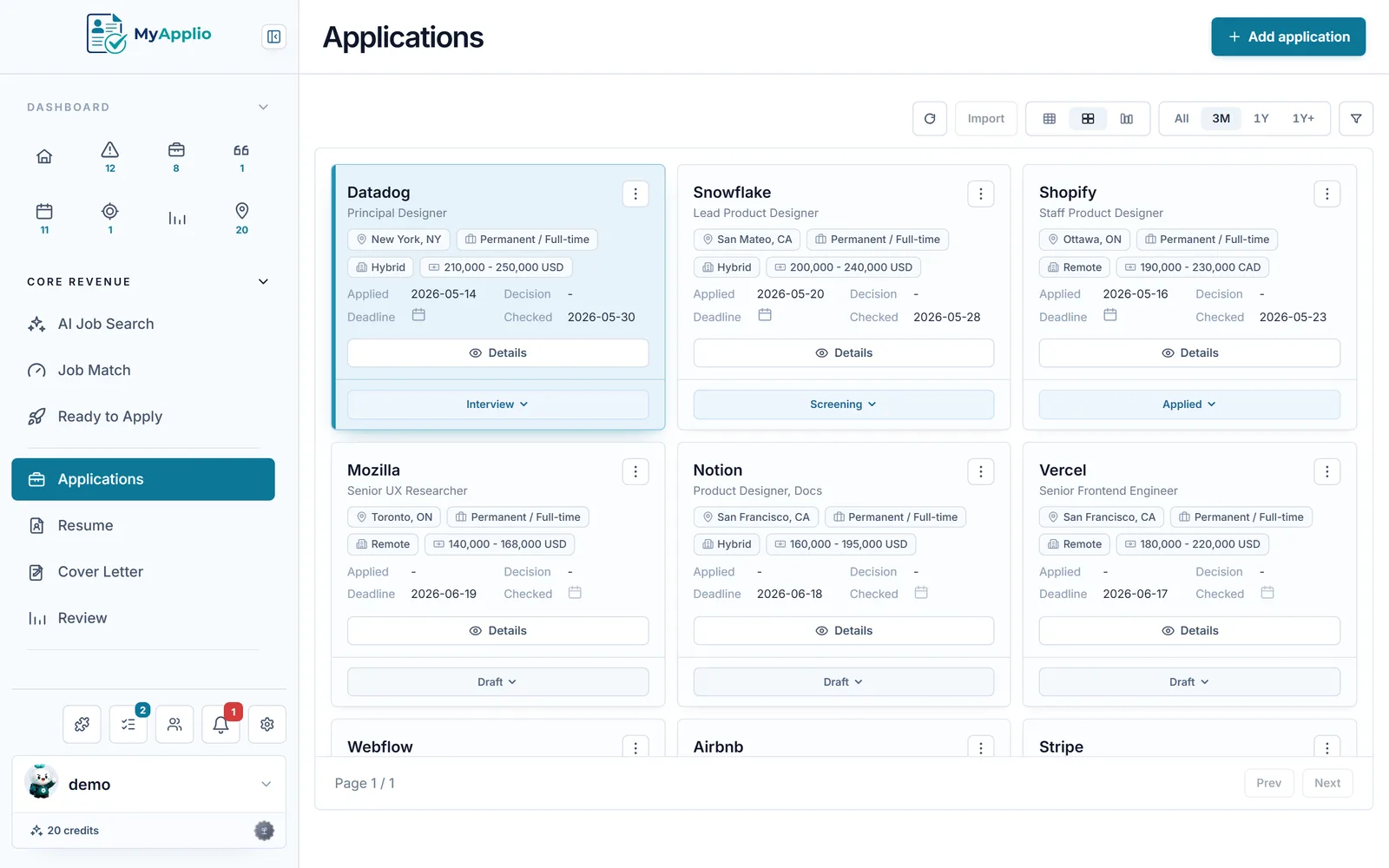
Every application
Company, role, status, salary, and the job link in one row you can sort and filter.
Every deadline
Application cut-offs and interview dates surface before they slip past you.
Every outcome
Response rate, interview rate, and where each application stalls in the funnel.
From the maker
MyApplio is built by one developer who is still job hunting too. The core stays free; Supporter helps keep the workspace running and improving.
Why track your applications
When you are applying to dozens of roles, the hard part is not the typing. It is remembering what is due, who you talked to, and which version you sent.
The Chrome extension turns any LinkedIn, Indeed, or company careers page into a tracked application with the company, role, location, and link already filled in.
A Needs Attention view flags drafts gone stale, interviews you have not prepped for, and deadlines in the next few days, so follow-ups never get forgotten.
Response and interview rates, pipeline by status, and a close funnel show which roles and resumes actually move forward.
What you track
Open any application and the whole story is right there, from the posting you saved to the interview you have on Friday.
Track each application from draft to offer in a table, card grid, or kanban board grouped by status.
Log interviews and cut-off dates as events and export any of them to your own calendar with iCal.
Save recruiters and hiring managers next to the application so every conversation keeps its context.
Attach the exact resume and cover letter you sent, and tailor a fresh copy per role without losing the original.
Set a weekly apply target and daily goals, then watch the dashboard track your progress through the week.
Notifications surface interviews to prep, applications gone quiet, and drafts that are getting old.
How it works
Install the Chrome extension and click it on any posting, or add an application by hand. The company, role, and link are saved as a draft in seconds.
Attach or generate a resume and cover letter that already know the role, mark the application as applied, and set the follow-up date.
Move each application across statuses, log interviews and contacts, and let the dashboard show you what needs attention next.
Tracker vs spreadsheet
Common questions
A job application tracker is a tool that keeps every job you apply to in one place, along with its status, deadlines, interviews, contacts, and the resume and cover letter you sent. Instead of scattered spreadsheets and browser tabs, MyApplio gives you a single workspace that shows where each application stands and what to do next.
Yes. Sign in with Google and you are on the Free plan immediately, with no credit card. You can track applications, attach resumes and cover letters, and log interviews for free. Upgrade only if you want unlimited AI actions like resume rewrites and cover letter drafts.
Two ways. Install the MyApplio Chrome extension and click it on any LinkedIn, Indeed, or company careers page to save the posting as a draft application, or add one by hand from the dashboard. Either way the company, role, location, and job link are stored on the application.
Yes. Paste your rows into the import template, or let AI reformat your data to fit it, then import them as tracked applications, with company, role, status, and link preserved. You keep your existing search and gain reminders, document attachments, and analytics on top.
Yes. Log interviews and deadlines as events, export them to your own calendar with iCal, and let notifications surface interviews to prep, applications gone quiet, and drafts that are getting old so nothing falls through the cracks.
Your applications, resumes, and notes are protected by row-level access controls, so only you can see them. Public resume sharing is opt-in per resume, and search indexing is off by default.
Get started
Free to start. Install the Chrome extension or jump into the dashboard and add your first application by hand.