A template never reminds you
A spreadsheet template sits there until you remember to open it. Deadlines and follow-ups slip past because nothing nudges you when a date is close.

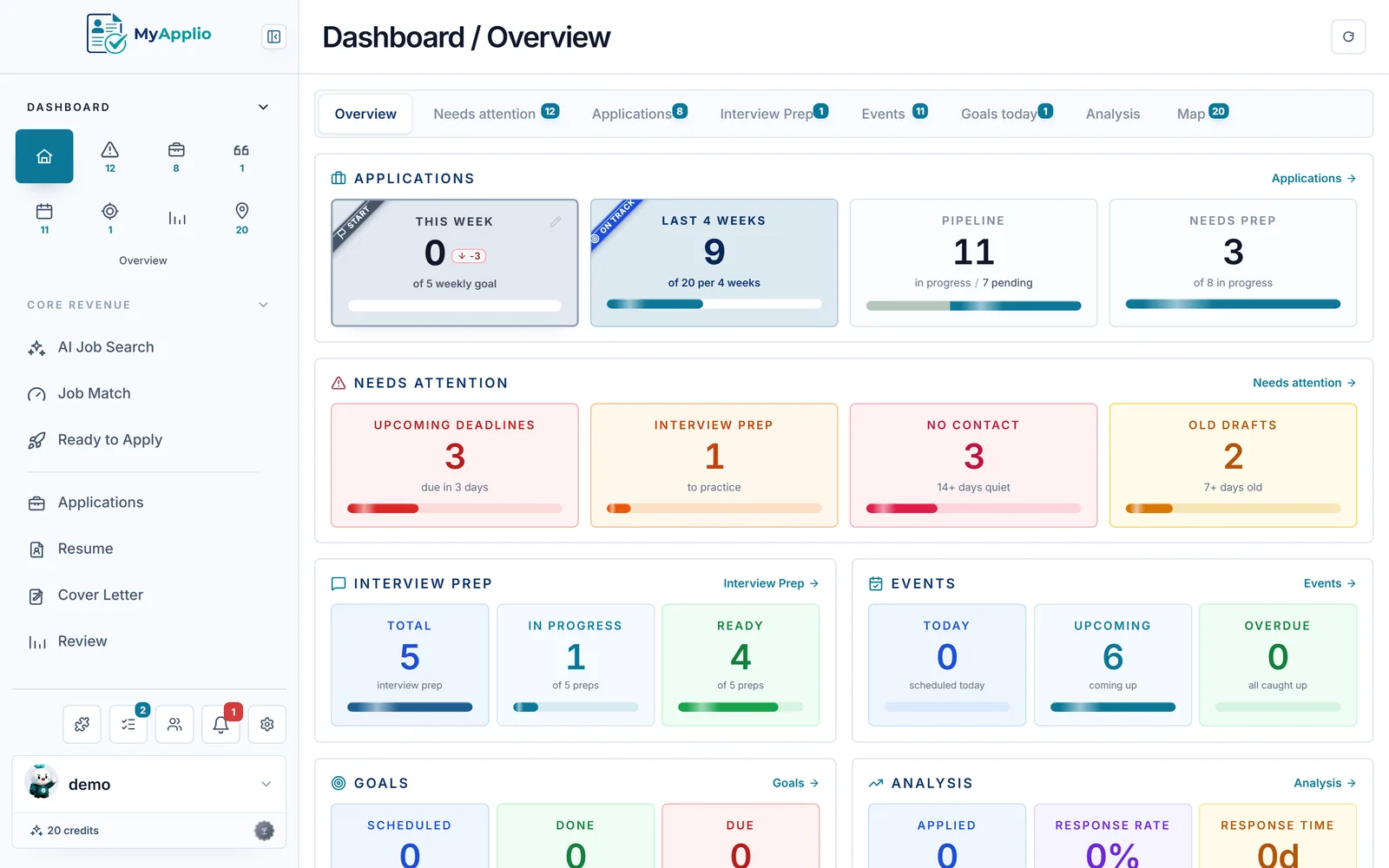
Looking for a free job application tracker template in Excel or Google Sheets? MyApplio gives you the same columns, company, role, status, location, date, link, salary, and notes, but as a real app that captures jobs in one click and reminds you before deadlines slip.
The same columns
Company, role, status, location, date applied, link, salary, and notes, as structured records instead of cells.
Bring your sheet
Already have a template? Paste your Excel or CSV rows into the import template, or let AI reformat them, and import them as tracked applications.
It reminds you
Deadlines and follow-ups surface on their own, so the template never goes stale in a forgotten tab.
From the maker
MyApplio is built by one developer who is still job hunting too. The core stays free; Supporter helps keep the workspace running and improving.
Why a template alone falls short
A free job application tracker template gets you the columns. The hard part is keeping it filled in, remembering what is due, and seeing what is actually working.
A spreadsheet template sits there until you remember to open it. Deadlines and follow-ups slip past because nothing nudges you when a date is close.
A free template gives you the columns, but you copy company, role, location, and link from each posting yourself. The Chrome extension does it for you in one click.
Response rate, interview rate, and pipeline only appear in a sheet if you build the formulas. Most templates leave you to wire that up yourself.
What the template tracks
Every field a good job application spreadsheet template has, plus one-click capture, bulk import, reminders, and analytics the sheet cannot give you.
Company, role, status, location, date applied, link, salary, and notes live on each application as records you can sort, filter, and group.
Paste your existing spreadsheet rows into the import template, or let AI reformat them, then import them as tracked applications, with company, role, status, and link preserved.
The Chrome extension fills company, role, location, and link from any LinkedIn, Indeed, or company careers posting in a single click.
View the same applications as a sortable table, a card grid, or a kanban board grouped by status, whichever fits how you think.
Notifications and a Needs Attention view surface deadlines and follow-ups before they slip past you.
Response rate, interview rate, and pipeline by status are calculated for you, with no formulas to write or maintain.
How it works
Sign in with Google, no credit card. Starting from scratch or already have a template? Paste your Excel or CSV rows into the import template and import them as tracked applications.
Install the Chrome extension and click it on any posting to fill company, role, location, and link, or add an application by hand from the dashboard.
Move each application across statuses in a table, card grid, or kanban board, and let reminders and analytics show you what needs attention next.
Static template vs MyApplio
Common questions
Yes. MyApplio is free to start with Google sign-in and no credit card, and it gives you the same fields a good job application tracker template has: company, role, status, location, date applied, link, salary, and notes. The difference is that it works like a real app that fills itself in and reminds you, instead of a static spreadsheet you maintain by hand.
Yes. If you already have an Excel, CSV, or Google Sheets job search tracker, paste your rows into our import template, or let AI reformat them to fit, then import them as tracked applications, up to 100 rows at a time. Company, role, status, and link are preserved, so you keep the work you already did and gain reminders, status views, and analytics on top.
A spreadsheet template gives you columns, but you still type every posting in by hand, build your own formulas, and remember to open it. MyApplio captures jobs in one click, surfaces deadlines and follow-ups in a Needs Attention view, and calculates response rate, interview rate, and pipeline for you with no formulas to maintain.
The same fields a strong job application tracker template tracks: company, role, status, location, date applied, job link, salary, and notes. Each one lives on a structured application record, so you can sort, filter, and group by any of them, and view your search as a table, a card grid, or a kanban board.
Install the MyApplio Chrome extension and click it on any LinkedIn, Indeed, or company careers posting. It fills the company, role, location, and link for you and saves the job as a tracked application, so you do not copy details into cells one tab at a time.
Your applications, notes, and imported data are protected by row-level access controls, so only you can see them. Public resume sharing is opt-in per resume, and search indexing is off by default.
Get started
Free to start. Import your existing spreadsheet, or install the Chrome extension and capture your first job in one click.