
Job Application Tracker: Spreadsheet vs App
Spreadsheets are free and flexible, but they forget. Here is an honest look at when a spreadsheet is enough and when a dedicated app pays off.
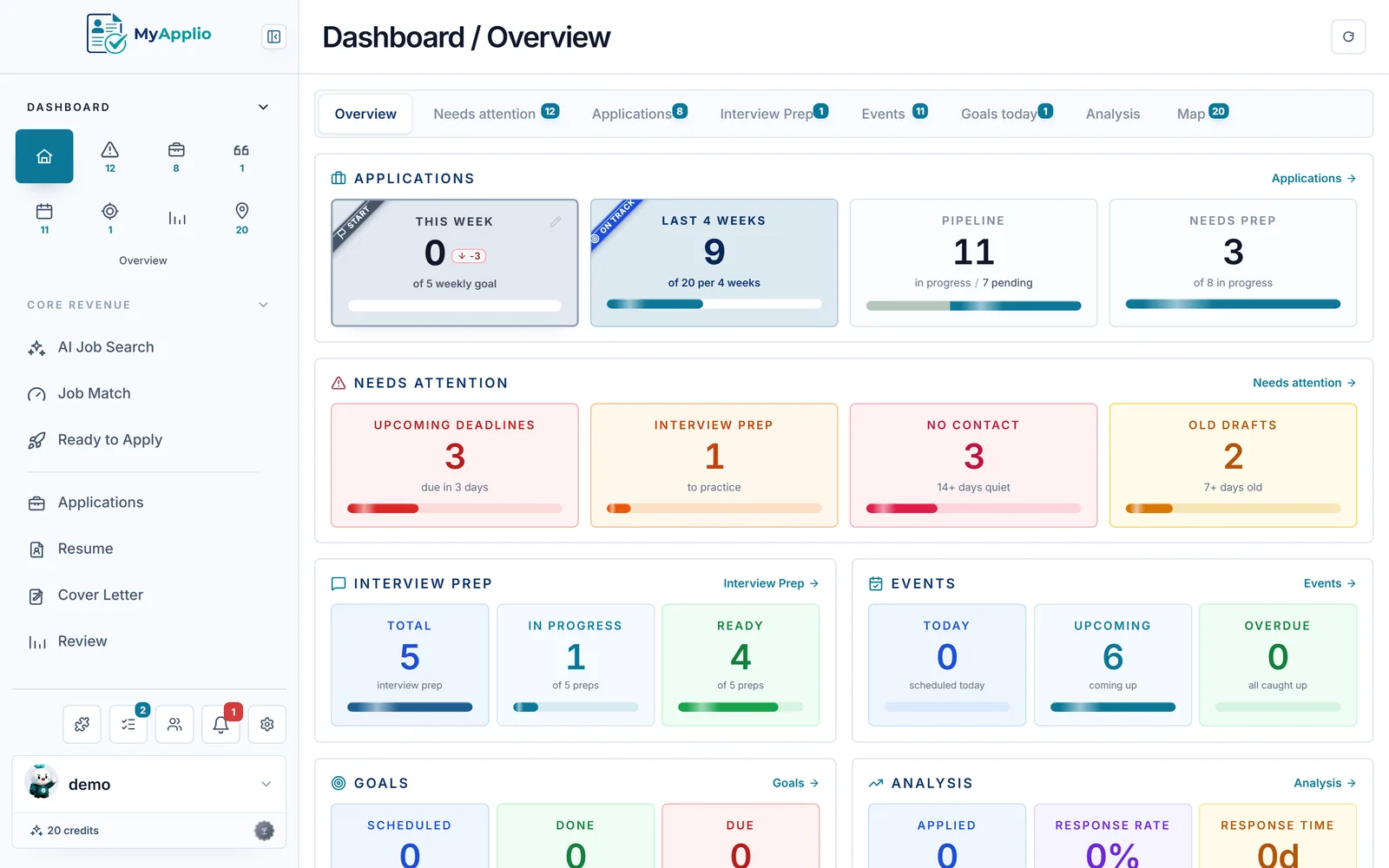
Almost every job search starts the same way. You apply to a role, then another, and within a week you realize you cannot remember which companies you contacted or what you said. The usual first fix is a spreadsheet. It is free, it is familiar, and it works on day one. The harder question is whether a spreadsheet keeps working through week eight, or whether a dedicated app earns its place. This is an honest comparison, not a sales pitch. A spreadsheet is genuinely fine for a lot of people, and it is worth being clear about exactly where that stops being true.
Why a spreadsheet is the obvious starting point
Excel and Google Sheets are excellent at what a job application tracker needs to do at its core: hold rows of structured data that you can sort, filter, and color-code. You already know how to use them, they cost nothing, and they impose no opinion on you. Want a column for recruiter name, salary range, or a personal excitement score from one to five? Add it in two seconds. That flexibility is real, and no app matches it.
For a focused search where you are sending ten or fifteen applications over a couple of weeks, a sheet is often all you need. You can see every row on one screen, nothing gets lost, and the overhead of learning a new tool would cost more than it saves. If that describes your situation, you can stop reading and go grab a free job application tracker template to skip the setup work. Honestly, that is the right call for plenty of people.
Where spreadsheets quietly break down
The trouble with a spreadsheet is not that it is bad. It is that it is passive. It only ever holds the data you remember to type, and it never tells you anything you did not already ask it. Over a longer search, a few specific cracks tend to appear.
- Everything is manual entry. Every job means copying the company, title, link, location, and description by hand. After the thirtieth row, that friction is exactly why so many trackers get abandoned halfway through a search.
- It cannot remind you.A cell that says "follow up June 20" does nothing on June 20. You have to remember to open the sheet, scan it, and act. Follow-ups slip, and slipped follow-ups are lost opportunities.
- Analytics are a chore. You can build pivot tables to see your response rate or which sources convert, but you have to build and maintain them yourself, and most people never do.
- Documents live somewhere else. The resume version you sent and the job description you tailored it to sit in separate folders. A spreadsheet links to them at best, and links rot when posts come down.
None of these are dealbreakers on their own. Together, over many weeks, they are why a tidy sheet from week one is often a stale, half-filled graveyard by week six.
What a dedicated app actually adds
A purpose-built job application tracker is not just a prettier spreadsheet. The value comes from the things a sheet structurally cannot do, because the app is active where the sheet is passive.
- One-click capture. Instead of copying fields by hand, you save a posting straight from the job page, and the company, title, and full description come with it. That removes the single biggest reason trackers get abandoned.
- Real reminders. The app notices when an application has gone quiet for about two weeks and nudges you to follow up, rather than waiting for you to notice.
- Built-in analytics. Response rates, interview conversion, and where your applications stall are calculated for you, so you can adjust your strategy on evidence instead of vibes.
- Documents attached in context. The exact resume and cover letter you sent stay pinned to that application, next to the saved description, so interview prep is one click and not a folder hunt.
Be fair: when a spreadsheet is genuinely enough
It would be dishonest to claim an app is always the answer. A spreadsheet is genuinely enough when your search is short and contained, when you enjoy full control over your own columns and formulas, or when you are tracking something a generic app does not model well, such as freelance leads or graduate program deadlines. If your search is a sprint rather than a marathon, the overhead of adopting any new tool is hard to justify. The best tracker is the one you will actually keep updating, and for some people that will always be a sheet they trust.
How to migrate a sheet without losing your history
If you do outgrow a spreadsheet, you do not start over. Most dedicated trackers let you bring your existing rows along, so the switch is a few minutes rather than a rebuild.
- Tidy your sheet so each row is one application and your columns have clean headers like company, title, status, and date applied.
- Export it as a CSV file, which is the format almost every app accepts for import.
- Paste your rows into the app's import template, or let AI reformat them to fit, then import them in batches. From there new jobs get captured automatically instead of typed.
The point of migrating is not to abandon the work you did in the sheet. It is to keep that history while handing off the tedious parts, the manual entry and the remembering, to a dedicated job application tracker that does them for you.
The verdict
Start with a spreadsheet. Seriously. It is free, it is flexible, and for a short search it is all you need. Reach for a dedicated app when your search gets long enough that the manual entry becomes a tax, when missed follow-ups start costing you real chances, or when you want to know your numbers instead of guessing. The honest answer is that the right tool depends on the size and length of your search, not on which one is objectively better. Whichever you choose, the win is the same: a single place where nothing slips through the cracks and you can always see what is working.
Put this into practice for free.
Capture jobs in one click, tailor your documents, and track every application in one workspace.